
SAP Leads Walkthrough
SAP Leads are one of the most important tools inside CRM 10. They allow us to take interested prospects, capture key information, and make sure they are followed up on by the right agent. Using SAP properly ensures that:
- ✔ Prospects don’t fall through the cracks
- ✔ The right agent has the right info before making a call
- ✔ Credit is given to the feeder agent who created the lead
- ✔ Sales opportunities are maximized
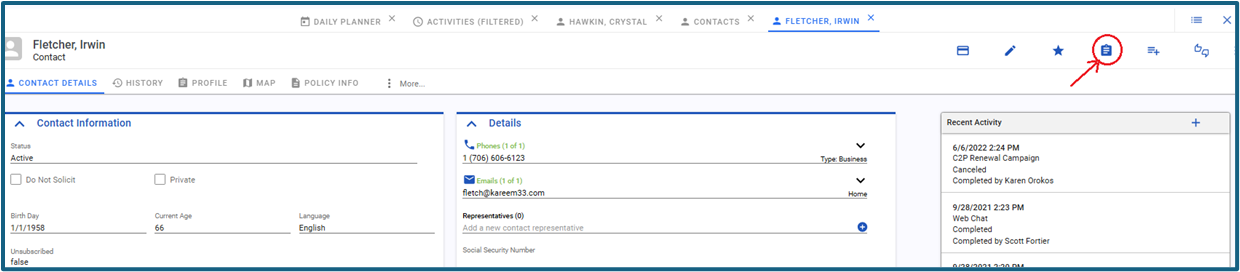 ? Step 1. Creating a SAP Lead (Feeder Field Agent)
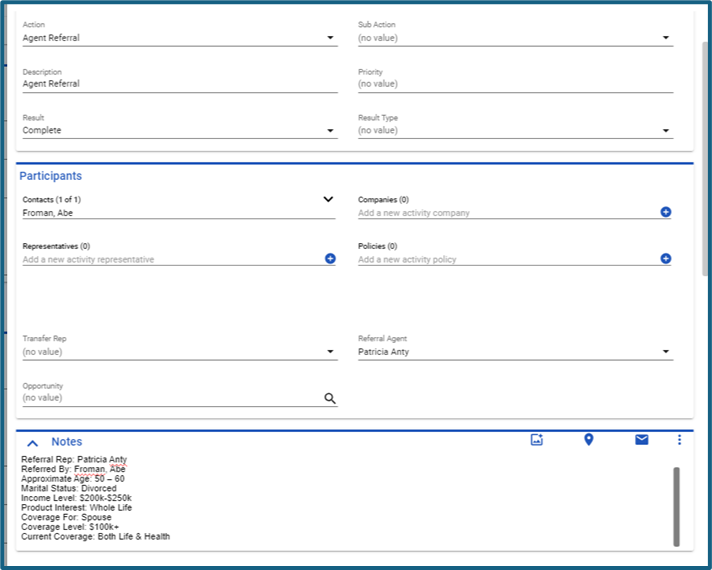
If you speak to a member or referral who is not ready to buy yet, but shows interest, you should create a SAP Lead:
- If it’s not connected to a member, click on the Lead Entry Form icon under Contacts.
- If it’s a referral from an existing member → use the Lead Entry Form from that existing member’s profile. (so the member can be recognized )
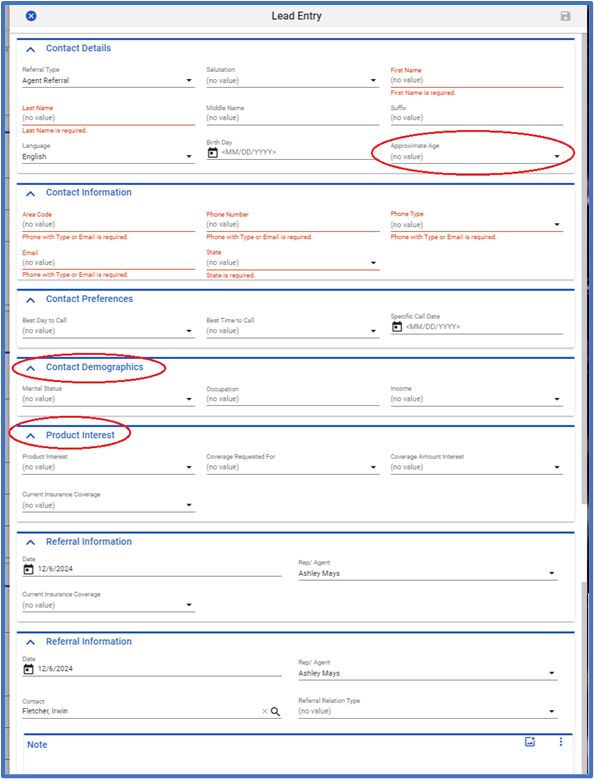
- Fill in as much information as possible (minimum: First Name, Last Name, State, and either phone or email).
- The more details you enter (occupation, product interest, best time to call), the better quality the lead becomes.
- Click the Save icon in the top right corner.
Example:
Weak lead: “John Public, call him at 765-331-3050.”
Strong lead: “John Public, married landscaper, interested in Accident Protection. Call him in the afternoon at 765-331-3050.”
Weak lead: “John Public, call him at 765-331-3050.”
Strong lead: “John Public, married landscaper, interested in Accident Protection. Call him in the afternoon at 765-331-3050.”
⚾ Step 2. Sending to a Closer (Feeder Phone Agents)
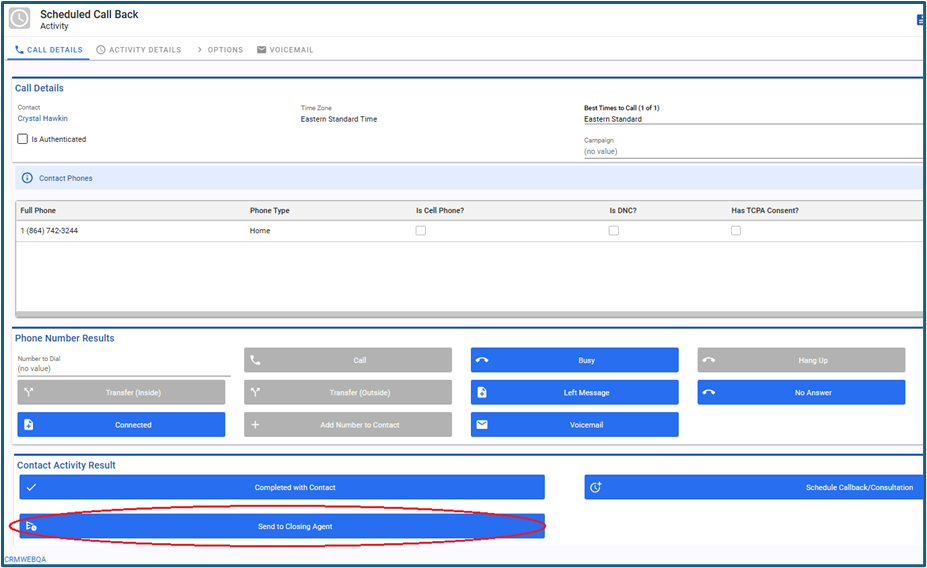
Sometimes you warm up a prospect but they aren’t ready to commit. That’s when the Send to Closer option comes in:
- Add all your detailed notes—demographics, interests, objections, timing.
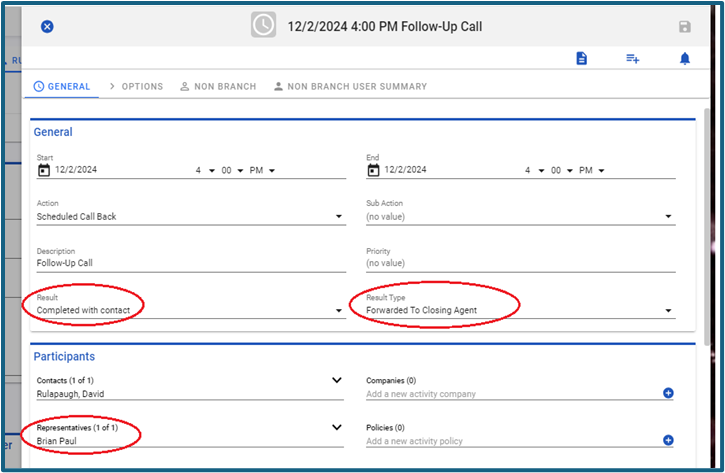
- Click Save. The activity result changes to completed with contact, and the type is set to forwarded to closing agent.
- You are still listed as the referring representative, so if the closer makes the sale, you get credit.
Tip: Think of the closer like a baseball closer—your job is to set them up to “save the game” and secure the win. But you still earn credit for the effort!
Step 3. Receiving a SAP Lead (Receiver Agent)
When a feeder agent saves the lead:
- Two activities are automatically created on the lead’s profile:
- The completed activity (the lead entry form itself)
- An outbound campaign call for the receiver agent
- Receiver agents can pull leads using the Next Call function.
- When ready, click the phone icon in the top right corner to dial the member.
- Always review the feeder agent’s notes before calling—this ensures you know the member’s interests and background. Also helps introduce yourself and warm the lead up from a cold call.
Why SAP Leads Matter
- They keep the sales pipeline full by ensuring no potential sale is lost.
- They help organize teamwork—feeders, receivers, and closers each play a role.
- They guarantee fairness—credit is always tracked to the originating agent.
- They increase professionalism by giving every agent context and background before a call.
Bottom line: The more detailed and accurate your SAP Leads, the higher the chance of a successful close and commission.